Showing posts with label Photoshop. Show all posts

Apply effects to personal photos and original Facebook


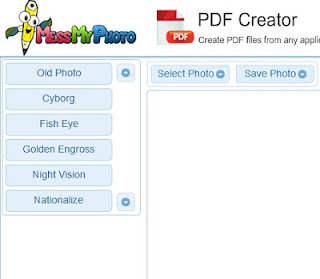
By using this service you can apply effects MessMyPhoto original and fun to your personal Photos Online. There are several effects to alter the appearance of images, and also you can also upload photos of your Facebook profile. At the end of the changes simply save the image on the PC.

Click HERE to connect to the website and hit "Start editing". Upload the photo you want to edit and apply the effect you want. Finally, save the final result by pressing the "Save photo". Under GRAPHICS many other services are available to edit photos.

VIEW SIMPLE EFFECT

Surgery Beauty Retouch Mode On Features Panasonic Cameras

Innovation in pocket digital cameras did not just stop at the implementation of Hi-Def video and magnitude of megapixels alone, but also in other creative features. Recent example can be found in the ranks of the latest pocket cameras Panasonic output.

Some of the Panasonic Lumix range of cameras that have been equipped with touch screen, now rely on new features related to beauty, the Beauty Retouch.

What's that mode Beauty Retouch mode? Beauty Retouch is a feature that will allow you to edit photos in an instant through the camera without the need to help the computer device. You could say Beauty Retouch mode feature is an enhancement of previous Panasonic Cosmetic mode.

The second difference lies in the completeness of this feature and how to use options. If the feature Cosmetic mode you can only do limited photo editing change the level of light dark skin color alone, the Beauty Retouch mode, you can perform a variety of other adjustments that much more complete on the face in the photo.

Cosmetic mode will be active while you record the image. While Beauty Retouch mode can only be used after the photo was taken. Beauty Retouch Mode adjustment consists of two distinct parts of Aesthetic Retouch Retouch and Make-up.

The first is the Aesthetic Retouch. Here are five adjustments that can be done, including fashion 'clear skin' that serves brighten skin tone, 'shine removal' to remove stains that appear on the face, 'whitening of teeth' to whiten teeth, 'lift up' to give effects on the cheek to make it look more gaunt, and 'eye emphasis' that serve to give effect to your eyes look bigger. So arguably, an effect that is in Aesthetic Retouch like the effect of digital plastic surgery results.

The second is a Make-up Retouch. This option consists of several make-up effects that can be added on your face. There is an option 'foundation' to give the effect of foundation, 'lip color' to provide color to the lips, 'cheek color' to give effect blusher and 'eye shadow' to give effect to the eye coloring.

This one feature is quite handy if you shoot a friend or spouse who has not had time to dress up so they will not be disappointed when viewing images with a face that is too "plain".

What to watch, make sure the appropriate angle shooting. If the images of faces taken from the side or from a rather unique angle, like from above or from below, the camera will be difficult and will even fail to deliver maximum results to dress your shot.

So, make sure the face is taken from the front so you can beautify your subject. All these features can be enjoyed on the latest Panasonic pocket camera models that have used a touch screen like the Panasonic Lumix DMC-FP7 and the Panasonic Lumix DMC-FX78.

PhotoInstrument 5.1.513 FULL

PhotoInstrument is a powerful and easy-to-learn raster graphics editor used to process digital photographs.
With only a few clicks, anyone can solve most digital photo problems :
  • Photo Editing
  • Photo Retouch
  • Draw MakeUp
  • Make your photo look like it's taken by a professional Photographer.

If you ever wonder to touch up your photo, so you look more beautiful on your facebook or friendster or even on myspace, well this software is the answer to your question.

Look down for it is important features :
  • Overlay two and more images.
  • Drag and drop to open photos in this photo editor.
  • Copy/Paste image from Clipboard.
  • Batch Resizing (resize multiple images)
  • PSD file (PhotoShop Format) support in Editing.
  • Multi Language support.
  • Save to computer as .jpg, .png, .bmp and other file formats.
  • And many more features...
Current version includes these instruments :
  • Liquify
  • Clone
  • Smudge
  • Skin Cleaner
  • Glamour Skin
  • Dodge / Burn
  • Brush
  • Blur
  • Sharpen
  • Colorize
  • Scale
  • Rotate
  • Red Eye Removal
  • Brightness-Contrast
  • Adjust Color Levels
  • Glow
  • Healing Brush
  • Denoise
  • Object Removal
  • Crop
DOWNLOAD :

Free Download Adobe Photoshop

Product Specifications

Platform: Windows
Licence:
Version: Full version
Language: English
DOWNLOAD


Product Description:

As the market leader for commercial bitmap and image manipulation software, Adobe Photoshop is continually improving its flagship product to ensure that its features, efficiency and results maintain industry-leading standards. Since 1987, Photoshop has made enacting the images of your imagination a possibility with its powerful, sophisticated innovations.

Adobe Photoshop CS5 software redefines digital imaging with powerful new photography tools and breakthrough capabilities for complex image selections, realistic painting, and intelligent retouching. Enjoy cross-platform 64-bit support and a wide range of workflow enhancements.

Adobe Photoshop CS5 Features :
  • Complex selections made easy Get precise results in fewer clicks when selecting intricate image elements, such as hair, and eliminate background color around selection edges. Automatically vary selection edges and perfect masks using new refinement tools.
  • Content Aware Fill Remove any image detail or object and watch as Content Aware Fill magically fills in the space left behind. This breakthrough technology matches lighting, tone, and noise so it looks as if the removed content never existed.
  • Superior HDR imaging Create photorealistic or surreal high dynamic range (HDR) images with unprecedented speed, control, and accuracy. Get better-than-ever results thanks to automatic ghost removal and greater control with tone mapping and adjustments, and even give single-exposure photos the look of HDR.
  • State of the art raw image processing Use the Adobe Photoshop Camera Raw 6 plug-in to nondestructively remove image noise while preserving color and detail; add grain to make digital photos look more organic; enjoy more control as you perform post-crop vignetting; and more.
  • Extraordinary painting effects Achieve natural and realistic painting effects with the Mixer Brush, which offers on-canvas color blending, and Bristle Tips, which let you create lifelike, textured brushstrokes.

Anarchy Digital Backdrop Designer v1.5

Digital Anarchy Backdrop Desiner v1.5 (x86/x64) | 25.6Mb

Digital Anarchy company announced a new product called Anarchy Backdrop Desiner v.1.5. This is a - an additional module for Adobe Photoshop and other compatible products, allowing you to create a variety of backgrounds. The program will be useful, especially for photographers working on portraits, posters, etc. in Backdrop Designer include six hundred harvested textures that can be mixed, set with built-in light and shadow effects.

Create digital backgrounds for photography and other design mediums with Backdrop Designer. Pick from hundreds of premade digital backdrops, or customize your own presets. This Adobe Photoshop plugin creates beautiful resolution-independent backdrops, very similar to those expensive muslin drapes you may currently have in your photography studio.
  • http://hotfile.com/dl/95634894/9e478b0/DABD15.rar.html
  • http://www.fileserve.com/file/n3CYhxP/DABD15.rar
  • http://www.filesonic.com/file/55020426/DABD15.rar