Showing posts with label Computer Services. Show all posts

Explanation About Cache Memory

Picture. Cache memory
Cache memory is very fast memory that is built in a Computer Central Processing Unit (CPU), or placed in a separate chip. The function of cache memory to store instructions that are repeatedly required and can be accessed very quickly to run programs, improving overall system. The advantage of cache memory is that the CPU does not have to use the motherboards system bus for data transfer. Whenever data must be passed to the system bus, the data transfer speed slows motherboard capabilities. CPU can process data much faster by avoiding the bottleneck created by the system bus. 

After most of the programs open and running, they use very little resources. When these resources are stored in the cache, the program can operate more quickly and efficiently. Cache in a computer system that is running the CPU with little cache can have lower benchmarks. Cache built into the CPU itself is referred to as Level 1 (L1) cache. Cache is in a separate chip next to the CPU is called Level 2 (L2) cache. Some CPUs have both L1 and L2 cache built-in and assigned as a separate chip cache Level 3 (L3)cache. 

Cache built in CPU faster than separate cache. However, a separate cache is still about two times faster than Random Access Memory (RAM). Cache is more expensive than RAM but a motherboard with a built-in cache very well to maximize system performance.
Picture. Cache Disk

Disk caching apply the same principle to the hard disk cache memory also applies to the CPU. Frequently accessed data on the hard disk is stored in a separate segment of RAM to avoid having to retrieve it from the hard disk repeatedly. In this case, RAM is faster than disc technology used in conventional hard disks. This situation will change however, because the existing hybrid hard disks everywhere. This disc has a built-in flash memory cache. Finally, the hard drive will be 100% similar to a flash drive, eliminating the need for a RAM disk caching, as flash memory is faster than RAM.

Ways and Tips on Choosing VGA

VGA stands for "Video Graphics Adapter", is an analog computer display standard first marketed by IBM in 1987. Although the standard VGA is no longer used because it has been replaced by a newer standard, VGA is implemented on the Pocket PC. VGA was the last graphical standard followed by the majority of computer graphics card manufacturer. Display Windows is still using the VGA mode because it is supported by many manufacturers of monitors and graphics cards. for more about VGA Details in here.
Tips For Choosing VGA, you have to know is that first you notice Slot VGA, whether it's AGP or PCI express slot.
Then select VGA serial number that you will buy. eg eg Ati Radeon HD 4650. serial number 4 shows the Direct Generation Xnya. if 4 is direct X 10, 5 direct X 11, etc. Both figures are 6 Demonstrate VGA Quality, below 4 means low - end, 4 and 5 medium - 6 to the upper end and high - end. So Be careful if you choose not mean Vga High The first figure was better than the previous generation numbers. Figures to - 3 and 4 - not so important. So you buy from the VGA HD 5450, HD4650 nicer because the second number is bigger, and Direct X is less effect on the quality of graphics, but there are some games are just Support direct x 11 only.

Well then, you do not bother to choose "DDR VGA" Because even if your motherboard has slots for VGA DDR 2 but can be used for any DDR RAM memory types used in VGA (GDDR) there is no direct correlation with the type of RAM used on the motherboard. they are both memory (RAM) but the real application of different scope of work. RAM on VGA card just to process the data in the VGA graphics card, while the RAM on the motherboard take to process all the data that is processed by the motherboard (Processor, VGA). So even if your main board will be installed DDR 2 DDR 5 is not a problem.

Furthermore, do not forget to buy the PSU or Power Supply is also a good thing for VGA that you will install, because if its less then it will not turn on, the greater the quality VGA (second number the greater), the greater the power required.

The occurrence of the cause of the explosion of mobile phones while in the Battery Charger

Most of modern gadgets including mobile phones use lithium ion batteries. Dubbed as the lithium ion battery power is derived from the flow of lithium ions (Li +) in the electrolyte solution. When we charge the battery, lithium ions flow from the cathode (positive pole) to the anode (negative pole). Instead, lithium ions flow from the anode to the cathode when the battery is working.

Electrolyte, anode, cathode and packaged in a pressurized container. Separator layer separates the anode and the cathode so that they do not intersect. Separator is made of super thin plastic with micro holes that just simply pass through the lithium ion. Well, the problem began when the battery is manufactured in the factory. There is dirt in the form of metal grains into the electrolyte solution. Not much, but it can cause havoc. The full story here.

At the time of charging, the battery temperature increases. Metal grains will run there here, like rice grains in the stirred water. If it is near the separator, metal beads that can tear the separator. As a result, there was a short circuit shorted alias between the anode and cathode. The next event is predictable.

Shorted to electric current flowing very fast. Temperature and pressure inside the battery will increase dramatically. The explosion is inevitable. Short circuit could also sprinkle sparks like a lighter. Cash only lithium salts that are easily burned burning great. Just imagine, the energy that can make the phone turn it off for days at a glance.

Lithium ion batteries now have to work harder. Demanded greater capacity, but its size should not be inflated. Inevitably, the factory battery separator using a thinner and more easily leak.
Some battery manufacturers desperate to eliminate non-standard circuit breaker by depressing prices. Without a little tool that, even though the battery still teraliri flow is fully charged. There was a so-called overheating or excessive heat. If it were so, the battery also has the potential to explode unexpectedly. Booom.
Figure 1. Offal lithium ion batteries. Anode and cathode sheets are rolled with a layer of separator in the middle. Everything is included in a container equipped with ventilation and electrolyte leak-proof ring.

Figure 2. Chemical reactions to make lithium ions (Li +) moves from the anode to the cathode. As a result, electrons flow from the anode and cathode as an electric current. While in-charge, the ions were sent back to the cathode by giving an electric voltage at the cathode.

Figure 3. Metal items that go into elektolit can tear when the battery separators manufactured, made a short anode and cathode are connected (shorted). Shorting also occur if the metal granules accumulate at the anode or cathode.

Componen PC Computer Case Parts exploded Diagram

Mengenali Komponen-Komponen Dalam PC

Komputer Anda terlihat seperti kotak disertai dengan layar, keyboard, dan mouse, tapi ada banyak tersembunyi di dalam kotak itu. Anda memilih banyak komponen terletak di kotak ketika Anda membeli komputer baru, tapi terlalu banyak orang melakukannya berdasarkan spesifikasi tanpa memahami apa komponen-komponen dan apa spesifikasi berarti. Bagian ini akan mengidentifikasi komponen di dalam, apa yang mereka lakukan, dan apa karakteristik penting mereka.

Sebuah komputer dengan apa-apa selain prosesor, memori, dan catu daya tidak terlalu berguna karena tidak dapat berkomunikasi dengan Anda atau dengan komputer lain. Setiap komponen inti lainnya ada baik menyimpan informasi atau membiarkan berkomunikasi prosesor:
  • Bus - Menyambungkan prosesor ke memori, I / O channel, dan layar
  • I / O channel - Menyambungkan bus (dan karena itu prosesor) ke disk, keyboard, mouse, jaringan, dan perangkat lainnya
  • Disk - Menyimpan sejumlah besar informasi, mempertahankan informasi bahkan ketika daya dimatikan
  • Tampilan - Menarik gambar dan karakter di monitor, memberikan program cara untuk output dalam cara Anda dapat membaca
Cooler Master ATCS 840 Computer Case RC-840 Exploded Diagram :
1. Front panel
2. 3.5″ shield
3. 5.25″ shield
4. Filter (front)
5. Front fan 230×30 mm
6. Right side panel
7. Casing
8. Top cover
9. M/B tray
10. Rear fan 120×25 mm
11. Top fan 230×30 mm
12. Filter (bottom)
13. HDD fan bracket
14. Left side panel
15 HDD rack.

Overall Diagram Component Parts Sony Vaio

Description

  • ESCUSHION (TP)
  • PAD, TOUCH
  • ASSY PALMREST
  • ESCUSHION (JOG)
  • PLATE GND
  • PWB, FLEXIBLE
  • BUTTON HOLDER
  • BRACKET (JOG)
  • JOG RINGSHEET
  • COMPLETE PWB SWX-79
  • ASSY CD BAY BEZEL
  • COMBO DRIVE (UJDA710)
  • COMPLETE PWB CNX-143
  • BAY CASE
  • MBX-55 ASSY (S)
  • SHEET DRIVE
  • CONNECTOR, PC CARD (EJECT,RIGHT)
  • SHEET PC CARD
  • HARNESS (2 PIN)
  • CARD, MODEM
  • CUSHION (HOOD)
  • IC HYM71V16M635HCT6-H (PC-133 128MB)
  • COMPLETE PWB CNX-140
  • ASSY BRACKET IO
  • (GR150/GR150K)…IC RH80530GZ866512 (PentiumIII 866MHz)
  • (GR170/GR170K)..IC RH80530GZ001512 (PentiumIII 1000MHz)
  • PLATE (DC)
  • COMPLETE PWB VIF-17
  • ASSY BRACKET BAY
  • FAN, DC (WITH HEAT SINK)
  • INSULATOR HEATSINK BOTTOM
  •  HEATSINK BOTTOM
  • CAP ETHERNET
  • BRACKET 1394
  • CABLE, FLEXIBLE FLAT
  • CUSHION PWS
  • COMPLETE PWB PWS-16
  • ASSY DOOR MODEM
  • FOOT WING
  • ASSY LATCH DETECTOR
  • HARNESS (10P)
  • COMPLETE PWB LEX-31
  • FOOT FRONT
  • LATCH BAY
  • SPRING BAY
  • DOOR BATTERY
  • DOOR BATTERY SPRING
  • DOOR IO
  • SPRING DOOR PORT
  • ASSY DOOR DIMM
  • ASSY HOOD KEYBORD
  • SHEET (MS)
  • COMPLETE PWB IFX-159
  • SPEAKER (2.8CM)
  • SPEAKER HOLDER
  • CABLE, FLEXIBLE FLAT
  • COMPLETE PWB SWX-78
  • CABLE, FLEXIBLE FLAT
  • HEAT SINK (AL)
  • THERMAL SHEET AL
  • KEY BOARD UNIT (US)
  • DISPLAY BASE
  • HDD (DK23CA-20F-20G)
  • SHEET HDD
  • BRACKET HDD
  • DOOR HDD
  • SHEET DRIVE2
  • ASSY BOTTOM
  • COVER PORT
  • LABEL IO
  • CUSHION (PALM)
  • BATTERY, NICKEL HYDROGEN
  • SHEET (BATTERY), ADHESIVE
  • SHEET (CPU), THERMAL
  • SHEET PORT
  • ASSY BRACKET KEYBOARD
  • SHEET FAN CASE
  • ASSY PLATE KEYBOARD
  • SHEET BAY BOARD
  • (GR150)…LABEL (ID) (U)
  • (GR150K)…LABEL (ID) (U)
  • (GR170)…LABEL (ID) (U)
  • (GR170K)…LABEL ID (U)
  • CAP BAY
  • ADHESIVE TAPE
  • PLATE (PARM)
  • PLATE ATI
  • SHEET ATI
  • BRACKET LOCK
  • BLIND SHEET
  • PLATE EARTH
  • SHEET AL
  • SHEET R
  • SHEET SPEAKERHOLDER
  • PLATE KEYBOARD2
  • GASKET USB
  • GASKET VGA
  • GASKET TV
  • LABEL COMBO DRIVE
  • FILAMENT TAPE (W9X30) (∗1)
  • JACK, DC
  • CONNECTOR, USB (VERTICAL TYPE)
  • JACK, SMALL TYPE
  • JACK (SMALL TYPE) 1P
  • SPACER CE
  • ICON SHEET
  • SCREW (MBX)
  • SCREW (M2), SPECIAL HEAD
  • SCREW (M2), SPECIAL HEAD
  • SCREW M2X4
  • SCREW (M1.7X3.5)
  • SCREW M3X4
  • SCREW (HEX)
  • SCREW M2
  • SPACER (PWS)
  • SPACER (VIF)
  • SPACER (MBX)
  • SCREW (M2), 0 NUMBER P3 KIND
  • SCREW M3
  • NUT M2 TYPE2

Computer Stealth Computing (rating mil-std-810, up to IP67)

The second storage above are tough, but useless without a computer. If you want the ultimate protection for your computer, stealth computing offers a solution. This manufacturer offers a variety of PC components are modular waterproof.

You can select a suitable keyboard and mouse, then select the display size of 15 to 19 inches, with or without touch screen capabilities. Pc unit is a black box with a special cable waterproof. This computer has intel atom dual core 1.6 ghz and 2 gb ram. SPECIFICATIONS it does only give a mediocre performance, but the manufacturer claims the unit can operate even when the pc submerged in water.

Learning The Basic Techniques Computer Repair

For those who like to wrestle agan in the internet world may already know about how where to use the computer, so the problem is that how where we can fix it? well of course we must learn first is essentially heeh, please consider first ya explanation is in Good Blog this.

There are some people who are so afraid to talk about fixing your own computer but at the same time also very reluctant and did not want to be associated with the services of a computer technician who said to cost as well as time consuming. If so, why not learn to fix computers. This should be an indication that you, as an end user, must be prepared to do as much troubleshooting before calling technical support.

For example, installing a new printer it should not need to use the services of a technician if we are willing to learn. This means that most of the complaints were in fact the very basic things that should have been known by computer users in general. You'll want to read this article Computer Maintenance Preparation Being before continuing to read this article further.

But how to begin? Before calling technical service and paying to help you, learn to be a computer technician and check your own computer. A little common sense can help you solve simple problems on your hardware and software. If you are truly ignorant to fix a computer, before you call a technician to do first simple steps below;

1. Restart the computer. Many software problems will be rectified itself when you restart.

2. Check your cable. Keyboard not working? Make sure the cord is attached either. Mouse not responding? Make sure the cord is attached either.

3. The computer is off? Check the power supply. Plug the lights into the same electrical outlet that is connected to your computer to make sure the outlet is working.

4. No display? Make sure the computer and the monitor cable is installed properly.

5. Remove some attached device (such as a printer or external Zip disk) and restart the computer. There are times when the computer problem could be one of these devices is the cause.

6. Listening to sounds unusual. Is the cooling fan running? Is the hard drive making strange noises?

7. Look in your computer, the cable may not be installed properly so that the connection is broken.

8. Start the computer from an external start-up disk, such as system software CD that came with your computer.

If you've done the things above, and the problem is not completed, then you should be able to describe the damage to your computer. It is very important that you do not besotted by technicians fake. Describe specific as possible when speaking with people who will help you.

Example :
"Every time I try to start the start, I heard the sound of a prolonged densing ..... etc."
Description of the problem you say will help the technician you call that works quickly and accurately. Well if you do not want to be associated with a service technician, please read this article also; Complete Guide Assembling, Maintenance and Repair Computer to step into a computer technician, was described tips and tricks on Computer Repair Basics, may be useful

IBM's experimental computer chip mimics brain

Computer Giant IBM says it has developed a prototype computer chip that mimics the human brain.

IBM said last night experimental "cognitive computer chip" could eventually lead to machines that "mimics the brain's ability to perception, cognition and action."

"The chip is an important step in the evolution of computers, calculators for learning systems, marking the beginning of a new generation of computers," said Dharmendra Modha, manager for IBM Research.

"Future Applications of information technology will increasingly demand features that are not effectively delivered by the traditional architecture."

IBM said the computer cognitive, such as the human brain, will "learn through experience, found a correlation, making hypotheses, and remember - and learn from -. Results"

Roger Kay of Endpoint Technologies Associates, said IBM's "take the architecture of the brain and say 'you can do an electronic ability to mimic what we know about the brain, how the brain works."

"They did not get to the point where it's all the practical work, but, but they proved the concept" he said.

"This is a new frontier."

According to IBM, artificial intelligence, who conducted research since 1956, computer chip capable of swallowing can lead to complex, real-time information through multiple sensors and translate them into action.

For example, a cognitive computer system to monitor the water supply problem of global warning that a tsunami can use the sensor network that monitors inputs such as temperature, pressure, wave height, and acoustics.

"Making Sense of the input in real time flowing in the more confusing would be a Herculean task for today's computers, but it would be natural for the brain-inspired," said IBM.

"Imagine the traffic lights can combine images, sounds and smells and the flag before a disaster strikes a dangerous intersection," said Modha.

Until now, IBM said, he managed to produce simple applications using the prototype chips such as navigation, pattern recognition and classification.

IBM said the computer chips cognitive reproducing biological synapses, neurons and axons in the human brain using algorithms and silicon circuitry.

They have integrated memory (synapses replicated), calculation (reproduced neurons) and communication (axons answer), he said.

The "long-term goal" is to build a chip with 10 billion neurons and 100 trillion synapses, which only consumes one kilowatt of power and occupies less than two liters of volume.

For the second phase of the project, known as Synapse - or systems Adaptive Plastic Scalable neuromorphic electronics - IBM says it has joined with researchers at Columbia University, Cornell University, the University of California (Merced) and the University of Wisconsin (Madison).

IBM said the project received US21 million in new funding from the Pentagon's Defense Advanced Research Projects Agency (DARPA).

Earlier this year, an IBM supercomputer known as Watson beat two male competitors in the popular Jeopardy TV quiz show in America!

Watson, named after the founder of IBM, Thomas Watson, capable of understanding natural human speech and provide quick answers to complex questions.

Watson's last machine that was developed by IBM to challenge the human race - in 1997, the IBM computer named "Deep Blue" defeated chess champion Garry Kasparov in a match of six games.

Network Security Toolkit (NST)

Network Security Toolkit - this is one of the many Linux distributions, such as Live CD, to analyze network security.NST gives administrators easy access to a broad set of open network applications, many of which are included in the hundred best security tools recommended by the site insecure.org.The latest version of NST - 2.13.0 was released in January 2011.This version is based on Fedora 13 uses the kernel Linux 2.6.34.7-56.fc13 with the desktop environment Fluxbox.

When booting from the Live CD you will be prompted to download several versions for different hardware capabilities or the required services, including the PLOP. The default option desktop / laptop, which includes all utilities NST, USB support and console.All versions require a working DHCP server, otherwise youll have to enter the network settings manually.

You can install the NST and the hard drive, but this process is not so simple.In large organizations, is absolutely necessary to continuously monitor network activity and security, so install the NST to the hard drive will be extremely useful.
By the way, the assurance of the developer when a new version of the emphasis was on visual geolocation, which is shown in the screenshots.

So, Paul Bleykenbeyker (author) made a bid to create a framework to bind to the location and display the network checks with reference to geopozitsii (for example, a map of the route of packets can be displayed through the service of Google Earth).Utility ntop expanded opportunity to show the geographical location host.Prepared by the tool for locating IP addresses of intercepted traffic to their subsequent display on the map Google Earth and the formation of a static image maps.

Among other things, users of Fedora Linux are able to install all created in the NST project experience in the form of packets.

Whats inside him?
Let unassuming appearance Fluxbox does not confuse you.Although the interface is easy and simple, but it is available from a number of powerful network tools.Of protection from network intrusions can be mentioned Kismet, Snort, AirSnort, NMAP and Wireshark.Nessus a popular vulnerability scanner, which has not been given attention in the last BackTrack release (BT3), this time is included in the distribution.Help you monitor the status of network programs such as Nagios, Argus and Zabbix.

In addition to these administrative remedies, the distribution includes also the user of the program an email client (Pooka), instant messaging client (Pidgin), Web browser (Firefox), means for processing text and graphics (ImageMagick, XPDF, Nedit and other ), antivirus (ClamAV), communication terminal (GTKterm, Minicom), Remote Desktop (VNC, TSClient) and data recovery tools (cfdisk, Partition Image).I was surprised to find in the distribution free program for GPS navigation GPSDrive.Yet included MySQL and PostgreSQL, but if you need a mail server at your service Sendmail.

To run the programs included in the NST, you can use a Web interface (Web user interface, WUI), based on AJAX and JSON, or choose from a menu Fluxbox.If you know what youre looking for, just click the right mouse button on the desktop Fluxbox menu appears with all the programs that are separated by category.For example, all image checker system vulnerabilities can be found in sub Security Applications, and common tools for the network (such as Wireshark) located in Network Applications.You can blame the developers NST Fluxbox menu that some programs are present simultaneously in different categories, for example, the application is in the sub ATerm NST WUI and Desktop Applications.

If the program does not have a GUI or console requires for its setting, NST easier to work with it by placing it in the WUI.You can choose a simplified WUI, in which programs are grouped according to the problem to be solved (sniffing, monitoring or checking for the invasion), and from the categorized list.

WUI simplifies the use of programs.When choosing a program or task, you will be shown a page where you want to select a specific script to set up or operation.If you want to change your settings, this can be done easily by editing the configuration file or by entering the command parameters.On the page of each program also has a brief description and documentation.

Additional information: The user password root nst2003.
Title: Network Security Toolkit (NST) 2.13.0 1713
Version: 2.13.0 1713
Architecture: x86
DOWNLOAD : Klik Here

Test Drive Unlimited Night Mod PC (2011 ENG)

Information :
Test Drive Unlimited Night Mod PC (2011/ENG)
Publication Type: license / Genre: Racing (Cars) / Simulator / 3D
Developer: Eden Games / Atari / Year: 2011 / Platform: PC
Language: English and Russian / Tablet: Not required
Size: 2.81 GB/FS - UST - US - WU /

It is time to return to the sunny tropical island, where even the palm trees they know what real speed. With the first rays of light, followed by gusts of sea breeze on the way out the ones who most appreciate the freedom - the racers. Symphony of roaring engines drowns out noise of the surf, gleaming cars go at the start, and the wizard duels begin their road game. And there, behind the finish line, there are no winners and losers. There are only those who can not imagine my life without competition ...

Night modes include:
- Night
- Fog
- Cloudless day
- Storm
- A sunny day with clouds
- Mega Pack

CD-key : 1HQG-HMTD-M3X2-6W1H

System Requirements :
Operating System : Microsoft XP / Vista / 7
Processor : Intel Pentium 4 3.0 Ghz or equivalent
Memory : 1,5 GB
Hard disk space : 7,5 GB free hard disk space
Sound device : compatible with DirectX
Video Card : GeForce 7600 256 MB or equivalent

Strontium Launches World’s Fastest Matrix Series SSDs and Mainstream Gamma Series SSDs in India

Strontium Technology has recently launched in India at a Press Conference in New Delhi, the new Strontium Matrix Series SSD that is claimed to be world’s fastest Solid State Drives available in up to 128-GB storage capacity ideal for faster boot up and accelerated application performance.

Based on industry-leading 25nm NAND flash memory, the new Strontium SSD Matrix Series is targeted at corporate IT and PC enthusiasts desiring a substantial performance boost over conventional mechanical hard disk drive and it delivers more performance and reliability features.

The Solid State Drives enjoys solid advantages over the conventional hard disk drives which includes :
  • Fast Performance - Games, applications and files load faster, while your system is more responsive
  • Compatible - Proven technology with installations on tens of thousands of systems worldwide 
  • Flexible use - 2.5″ form factor for your notebook or netbook needs, or use with included 3.5″ bracket for your desktop computer 
  • Silent operation - No moving parts means zero noise and high reliability 
  • Low Power - Extend battery life for notebook and netbook users 
  • Reliable - Over 1,200,000 device hours mean time between failures (MTBF)
Key Features of Strontium SSD Matrix Series:
* 2.5-inch form factor
* 128GB Storage Capacity
* Marvell 88SS9174-BLD2 controller
* Random read / write performance up to 40,000/50,000IOPS
* Sequential Reading Speed / Write Speed with 415/175MB per second
* SATA-6; 6 Gb/s interface
* Up to 1500 G/1ms operating shock
* 1.2 million device hours
* MLC NAND Flash chips in leading-edge 25nm design

In the same event, Strontium also launched its new mainstream GAMMA Series Solid State Drive SSD available in 60 GB and 120 GB storage capacities.

The 2.5-inch standard size Gamma SSD uses25nm MLC NAND and Sandforce SF-1222 controller and is currently available in 60GB and 120GB storage capacities with read and write speeds of 200MBps and 100MBps respectively.

Key Features of Strontium SSD Gamma Series
* 2.5-inch form factor
* 60-GB / 120-GB Storage Capacity
* SandForce DF-1222 Controller
* Random read / write performance up to 40,000/50,000IOPS
* Sequential Reading Speed / Write Speed with 200 / 100 MB per second
* SATA-6; 6 Gb/s interface
* MLC NAND Flash chips in leading-edge 25nm design

Prices :
The Strontium Matrix Series solid state drive is available in India for the price of Rs. 12,500 in only in 128-GB capacity while Gamma Series SSDs retails for Rs. 6,500 for 60-GB capacity and Rs. 10,500 for 120-GB capacity.

LCD Monitor ViewSonic VA1916W 19-inch

The ViewSonic VA1916W 19-inch (40.8 cm) Widescreen LCD Monitor available in India features fast 5ms response time, an true widescreen aspect ratio of 16:10, a 700:1 contrast ratio and it offers maximum resolution of 1440 x 900 pixels with upto 16.2 million colours.
The ViewSonic VA1916W 19-inch Widescreen LCD Monitor offers several user friendly features including automatic brightness adjustment, flexible height settings, wide viewing angles for sharing content, high Contrast Ratio and wall mounting option.

ViewSonic VA1916W Widescreen LCD monitor features 19-inch (408 cm) color TFT Active Matrix LCD display with anti-glare coating, 0.283 mm Dot pitch, fast response time of 5 milliseconds, high brightness of 300 cd/m2, high a high contrast ratio of 700:1 in 16:10 aspect ratio offering maximum resolution of 1440 x 900 pixels in WSXGA widescreen format at 60 Hz with capacity to render upto 16.2 million colors.

ViewSonic VA1916W Widescreen LCD monitor’s super fast 5ms video response delivers superior picture clarity for movies and games and Ultra-wide viewing angles allows up to 170 degree viewing angles provideing enhanced images from all directions. In addition 1000:1 to 2000:1 Dynamic Contrast Ratio (DCR) provides for darker black levels and better overall front-of-screen performance.

Dynamic Contrast Ratio technology

The ViewSonic VA1916W 19-inch LCD monitor features Dynamic Contrast Ratio which auto-adjusts the brightness of screen and maximize the contrast between black and white. The Contrast Ration ranges from 700:1 – 2000:1 under DCR.

The Dynamic Contrast Ratio (DCR) technology, enhances LCD contrast ratio up to 2000:1 and also enables automatic detection of the image signal, and controls the backlight brightness accordingly.

The Dynamic Contrast Ration (DCR) technology, allows user to be able to experience lower black levels while watching darker movies or video games and in addition, due to the fact that DCR technology being able to automatically detect image source to adjust LCD panel back light, the ViewSonic VA1916W monitor consumes less power compared to conventional LCDs, which have the backlight always on.

Widescreen

As against regular LCD monitors which offers aspect ratio of 4:3 (screen width : screen height), the ViewSonic VA1916W 19-inch Widescreen LCD monitor offers expanded aspect ratio of 16:10 providing more displayable horizontal area.

ViewSonic VA1916W flat screen LCD monitor’s widescreen panoramic aspect ratio of 16:10 allows 20-inch / 43.3 cm side area allows one extended horizontal space to display and comfortably view two application windows side by side. The display area parameters are 40.8 cm Horizontal, 25.5 cm Vertical, 48.3 cm Diagonal.

For instance, one can run browse the Internet or edit document or run any application for that matter in one virtual display area while watching a movie on the right. Any movies, video games, etc, maintains the original aspect ratio, in any dusl-screen area without any cropping or compression.

The wide screen display help increase work efficiency by allowing multiple windows with increased visibility. The Windows Vista’s sidebar on the right side of the screen can displays multiple applications and allows easy access to frequently used tools.

The ViewSonic VA1916W 19-inch Widescreen LCD monitor is fully Eco-friendly and comes equipped with ENERGY STAR Program Requirements for Computer Monitors and TCO’ 03 emission standards.

Available in Silver and Black colors, the ViewSonic VA1916W 19-inch Widescreen LCD monitor weighs 4.1 Kgs.

Viewsonic VA1916W 19-inch LCD monitor Features :
* 19-inch (40.8 cm) Color TFT Active Matrix LCD, Widescreen WSXGA, 16.2 million colors
* 1440 × 900 pixels native resolution (WSXGA+) at 60 Hz
* 16 : 10 Widescreen Aspect Ratio
* 5ms Response Time
* Display Area: 40.8 cm Horizontal, 25.5 cm Vertical, 48.3 cm Diagonal
* Anti-glare screen
* Dot pitch – 0.283 mm
* Brightness – 300 cd/m2
* Contrast Ratio – 700 : 1
* Dynamic Contrast Ratio : upto 2000:1
* Dynamic Color Booster
* Viewing Angle – 150 degree horizontal, 140 degree vertical
* Tilt (down/ up) – 5 / 20 degree
* Swivel ( left/right) – 180 degree Height (72mm)
* Input Video – D-sub 15-pin connector
* Horizontal Refresh Rate – 31 kHz – 81 kHz
* Vertical Refresh Rate – 55 Hz – 76 Hz
* Video Bandwidth – 25 MHz – 135 MHz
* Maximum Refresh Rate – 75 Hz
* Power Management – TCO’03 and ENERGY STAR standards
* Wall Mount, VESA FDMI 100mm x 100mm
* Power Consumption – 32W (max), 1W in Sleep Mode
* Dimensions (W×H×D) 440 x 383 x 195 mm (with Stand)
* Weight – 4.1 Kgs
The Viewsonic VA1916W 19-inch Widescreen LCD monitor is available in India for price of Rs. 13,500 with 1 year warranty. Visit ap.viewsonic.com/in/ for more details about ViewSonic monitors in India.

KNOW YOUR COMPUTER TOOLS USED TO PROCESS


Computers are tools used to process the data according to procedures that have been formulated. The word computer is used originally to describe people who perkerjaannya perform arithmetic calculations, with or without assistive devices, but the meaning of this word is then transferred to the machine itself. Origins, processing information almost exclusively related to arithmetical problems, but modern computers are used for many tasks unrelated to mathematics.

In a sense like that there are tools such as slide rules, mechanical calculators types ranging from abacus and so on, until all contemporary electronic computers. The term better suited to a broad sense such as "computer" is "that process information" or "information processing systems." Over the years there have been several different meanings in the word "computer", and several different words are now called called a computer.
Parts of the Personal Computer.
1: Monitors
2: Motherboard
3: Processors
4: Slot ATA
5: RAM (Random Access Memory)
6: PCI Slot
7: Power Supply
8: The optical disc
9: Hard Disk
10: Keyboard
11: Mouse

Word computer once commonly used to define people who do the arithmetic, with or without auxiliary engine. According to the Barnhart Concise Dictionary of Etymology, the word is used in English in 1646 as the word for "people who count" and then before 1897 are also used as a "mechanical calculators." During World War II, the word refers to the workers of the United States and British women whose job was to calculate artillery street war with the machine count.

Charles Babbage designed one of the first calculating machine called the analytical engine. In addition, various simple mechanical devices such as slide rule also has to be said as a computer.

StaffCop v3.6.0

StaffCop v3.6.0 | 7.20 MB

StaffCop - the main task is to monitor the activity of computer users. The program can be used in the "stealth" or open mode. From a moral point of view, monitoring (especially hidden) may seem unethical. But it often happens that it is needed: in cases where people work with sensitive information that should not go beyond the office, you need to take additional measures to prevent leaks. Monitor the activities of computer users also need to optimize the working time spent at the computer.

System Requirements :
Administrative Module :
· Windows Vista, XP, 2000, NT, 2003, Server 2003, Server 2008;
· Disk Size: 10 MB (plus additional space for storage of records);
· RAM: 256 MB;
· Processor: Intel / AMD 500 MHz;
· Recommend MS Internet Explorer 5 (or later);
· TCP / IP port 1091 (can be changed) for connection to custom modules.
 

Custom Module :
· Windows Vista, XP, 2000, NT, 2003, Server 2003, Server 2008;
· Disk Size: 2 MB (plus additional space for storage of information gathered about 5-10 MB / day);
· RAM: 32 MB;
· Processor: Intel / AMD 300 MHz;
· TCP / IP port 1091 (can change) for sending data to the Administrative module.

DOWNLOAD

Circle Dock

Circle Dock
Photobucket
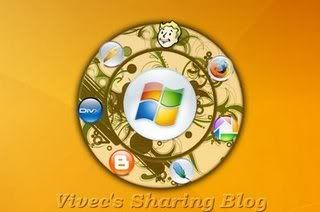
Software yang agak unik ini biasanya kan yang ada cuma yg model "bar", tapi yg ini modelnya circle atau lingkaran. Docknya bisa anda modifikasi sesuai selera, seperti skin, warna, tombol ditengah, besar-kecil docknya, bahkan iconnya juga bisa anda ganti sesuka hati anda. software ini juga menyediakan banyak pilihan icon-icon keren untuk aplikasi-aplikasi terkenal seperti browser internet, office, video/music player, dll.

Fiturnya ada banyak, tapi yang saya bahas cuma yang saya suka saja.
Pertama, Software ini tidak memberatkan.
Kedua, Software ini tidak perlu di install.
Ketiga, Karena Software ini icon-icon shortcut dekstop Computer saya habis semua.
Keempat, Software ini tidak selalu berada di desktop anda.

Apa maksudnya???

Begini, ketika anda klik salah satu icon ataupun klik tombol yg ditengah (kalau diatas yang gambar logo windows itu), otomatis dia bakal minimize sendiri ke taskbar (bawah kanan itu lho), lalu bagaimana cara manggilnya kembali??? Tinggal tekan tombol tengah mouse ataupun pencet F1, jadi serasa punya anak buah saja bisa dipanggil2

DOWNLOAD